
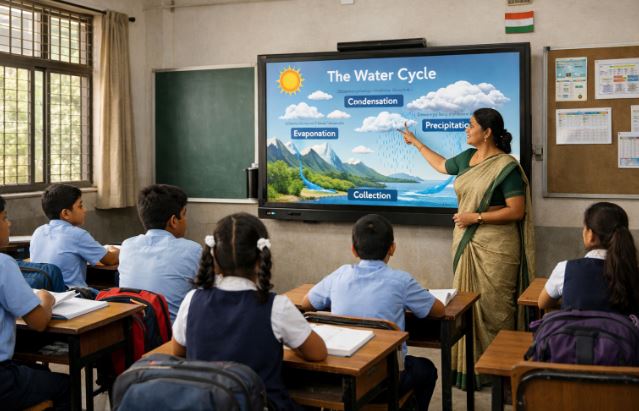
In today’s digital learning environment, many teachers are exploring how to use smart board tools effectively in the classroom. A smart board is more than just a screen. It transforms teaching into an interactive and engaging experience.
With the right approach, teachers can simplify complex topics, improve student participation, and make lessons more memorable. This guide explains practical ways teachers can use smart boards in classrooms with easy tips and modern strategies based on current educational practices.
What Is a Smart Board and How Does It Work in a Classroom?
A smart board, also known as an interactive whiteboard, is a digital teaching tool that allows teachers to display content, write, draw, and interact with multimedia using touch. It connects to a computer and projector or comes as an all in one interactive display.
How it functions in teaching?
Teachers can control lessons directly from the board using touch gestures or digital pens. It supports videos, presentations, images, and educational apps. This helps convert traditional lectures into visual and interactive sessions.
Key features teachers use
- Touch screen interaction for writing and drawing
- Multimedia integration like videos and animations
- Screen sharing from laptops or tablets
- Saving and revisiting lessons
Compared to traditional boards, smart boards allow dynamic teaching where students can actively participate rather than passively listen.
Why Should Teachers Use a Smart Board for Teaching?
Smart boards are becoming essential in modern classrooms because they improve both teaching quality and student engagement.
Benefits in the classroom
Smart boards help teachers explain difficult concepts visually. Subjects like science and mathematics become easier when diagrams and animations are used.
They also support different learning styles. Visual learners benefit from images, while auditory learners benefit from videos and audio content.
Impact on student engagement
Students tend to focus more when lessons are interactive. Activities such as quizzes, drag and drop exercises, and collaborative problem solving make learning enjoyable.
Role in Indian classrooms
With the growth of digital education in India, smart classroom solutions are helping schools modernize. They bridge the gap between traditional teaching and digital learning, especially in urban and semi urban schools.
How to Set Up and Operate a Smart Board Easily?
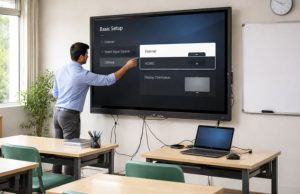
Setting up a smart board is simple when done step by step. Most modern boards are designed to be user friendly.
Basic setup process
First, connect the smart board to a power source and a computer system. Some advanced boards have built in systems and do not require external devices.
Then calibrate the board to ensure touch accuracy. This step ensures that the board responds correctly to user input.
Operating the board
Teachers can open teaching software or presentation tools and begin interacting directly on the screen.
Important steps include
- Selecting the correct input source
- Using digital pens or fingers for navigation
- Accessing built in teaching tools
With minimal training, teachers can comfortably operate a smart board within a short time.
How to Use Smart Board in Classroom?
Using a smart board effectively requires planning and creativity. It is not just about displaying content but making lessons interactive.
Step by step classroom usage
Start by preparing digital lesson materials such as slides or videos. During the class, use the board to explain concepts visually.
Teachers can write notes, highlight key points, and draw diagrams in real time. This makes explanations clearer.
Interactive teaching methods
- Conduct quizzes directly on the board
- Invite students to solve problems on screen
- Use videos to explain real world concepts
Saving and sharing lessons
One major advantage is the ability to save lessons. Teachers can share notes with students later, helping in revision and better understanding.
Which Activities Can Teachers Do Using a Smart Board?
Smart boards support a wide range of classroom activities that improve participation.
Engaging classroom activities
Teachers can create interactive quizzes, puzzles, and games. These activities encourage students to think actively rather than just listen.
Group activities also become easier. Students can collaborate on tasks directly on the board.
Visual and multimedia learning
Using images, animations, and videos helps students understand topics faster. For example, science experiments can be shown through simulations.
Collaborative learning
Students can come to the board and interact with content. This builds confidence and improves communication skills.
What Are the Best Tips for Using Smart Board Effectively?

Using a smart board effectively requires a mix of technical skills and teaching strategies.
Practical teaching tips
Teachers should plan lessons in advance and include interactive elements. Avoid using the smart board only for presentations.
It is important to balance technology with teaching goals. The focus should always remain on learning outcomes.
Common mistakes to avoid
- Overloading slides with too much information
- Ignoring student interaction
- Using the board only as a projector
Classroom management
Teachers should involve students regularly and maintain control over the lesson flow. This ensures that the technology enhances learning rather than distracting from it.
How Can Smart Board Improve Digital Learning in Schools?
Smart boards play a significant role in advancing digital education.
Integration with digital tools
They can connect with educational apps, online resources, and e learning platforms. This allows teachers to access a wide range of teaching materials.
Supporting modern teaching strategies
Digital teaching methods such as blended learning and flipped classrooms become easier with smart boards.
Future of education
Smart boards are shaping the future of classrooms by making learning more interactive, accessible, and engaging. Schools adopting this technology are better prepared for modern educational needs.
Inside the Smart Board: Features and Tools Teachers Should Know
Understanding the features of a smart board helps teachers use it more effectively.
Important tools
Smart boards come with built in software that allows annotation, drawing, and content creation. Teachers can write over any displayed content.
Advanced capabilities
- Screen recording for lesson playback
- Cloud storage for saving lessons
- Multi touch support for collaborative activities
These features make teaching more flexible and efficient.
Conclusion
Learning how to use smart board in classroom settings can significantly improve teaching quality and student engagement. With proper setup, planning, and interactive strategies, teachers can transform traditional lessons into dynamic learning experiences.
Smart boards not only simplify complex topics but also encourage participation and collaboration. As digital education continues to grow, mastering smart board usage becomes an essential skill for modern educators.
FAQs
Can smart boards be used without internet?
Yes, smart boards can be used without internet for basic functions like writing, drawing, and presenting saved content, but online features require connectivity.
Is training required for teachers to use a smart board?
Basic training is helpful, but most smart boards are user friendly and teachers can learn quickly through practice and simple tutorials.
What is the cost of a smart board in India?
The cost varies depending on brand and features, generally ranging from moderate to high investment for schools.
Are smart boards suitable for all subjects?
Yes, smart boards can be used across all subjects including mathematics, science, languages, and social studies.
How do smart boards help students learn better?
They improve engagement, provide visual learning support, and encourage active participation which enhances understanding and retention.